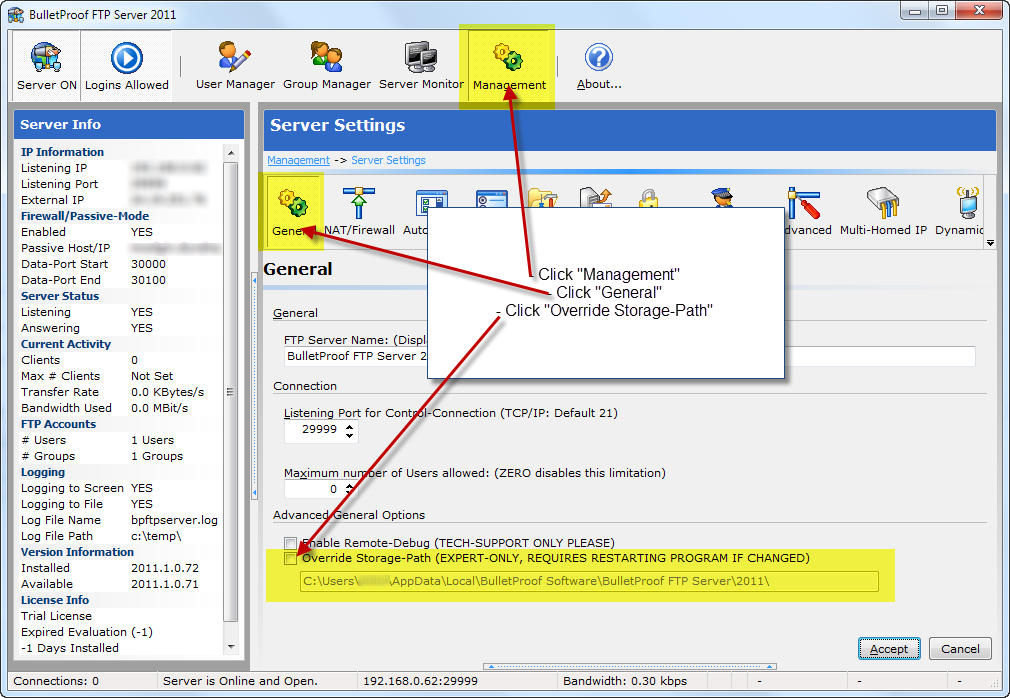
Step #1: Navigating the GUI to the “Override Storage-Path”
Open the GUI and navigate to:
Management -> Settings -> General
Windows FTP Server with SFTP and FTPS
Step #1: Navigating the GUI to the “Override Storage-Path”
Open the GUI and navigate to:
Management -> Settings -> General