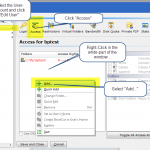
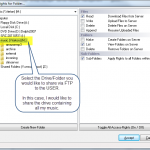
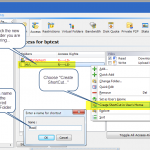
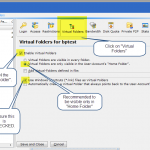
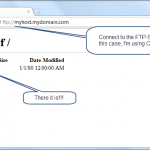
BulletProof FTP Server supports the ability to create “Virtual Folders” for your ftp-users to access additional drives, folders and network-shares; allowing your ftp-users access to a wide variety of folder-locations on your local computer, as well as mounted-shares in your network.
Example Usage:
- Providing Access to Web-Server documents via FTP
- Accessing the files on your home-computer from work
- Allowing telecommuters to update company files, spreadsheets, etc from home
- Facilitating the transfer of very large files over the internet (too big for email)
- Trade files between friends and family using their web-browser
Additional Info:
TIPS: How to serve your Network-Drives via FTP
HOWTO: Share a UNC Folder via FTP